

Download Tinseltown – Festive Firefox Theme, Free & Secure
Overview
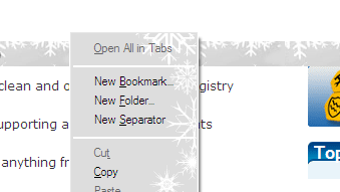
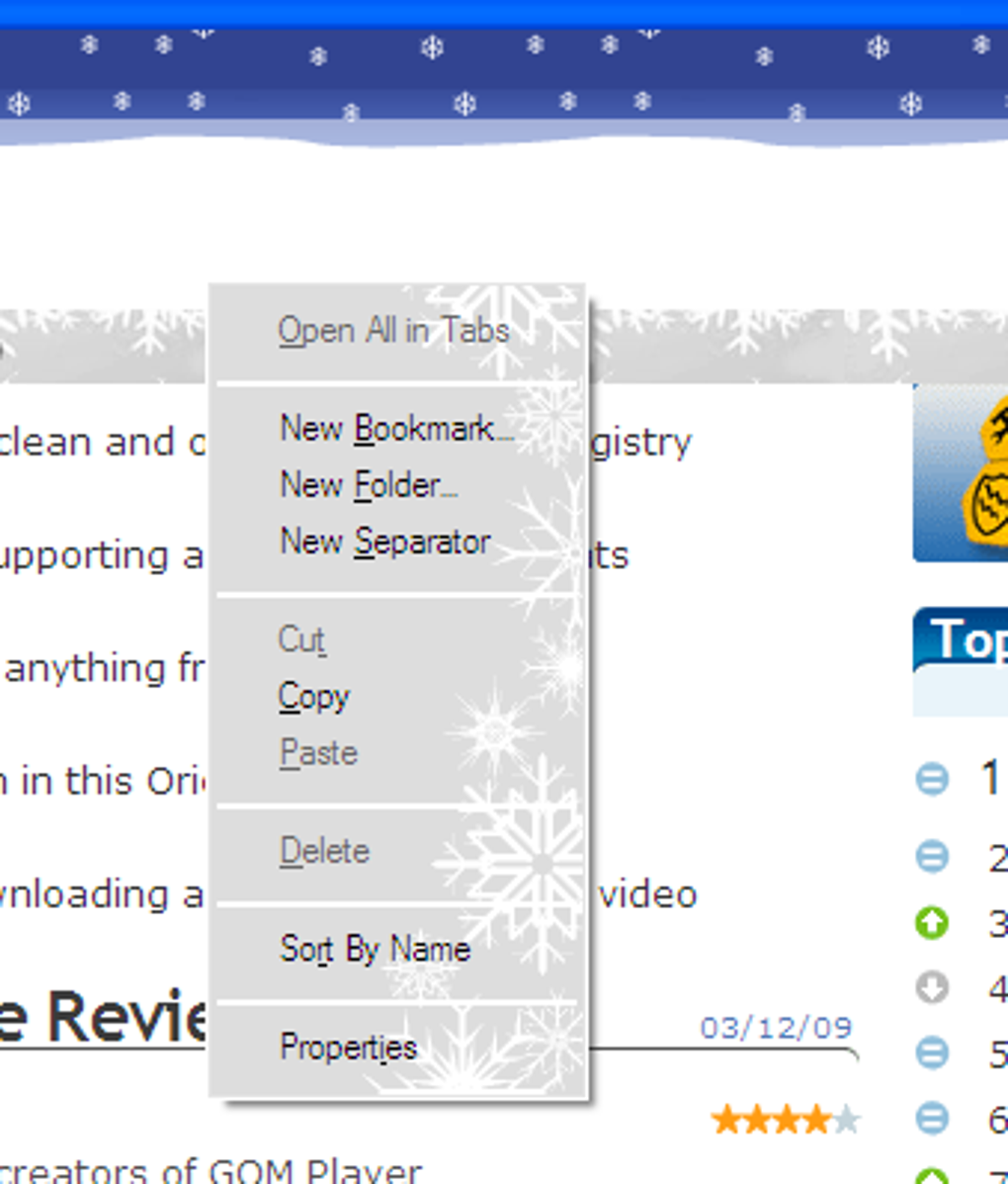
Tinseltown is a delightfully over‑the‑top Christmas‑themed skin for the Mozilla Firefox browser. Designed to turn your browsing experience into a winter wonderland, the theme dresses every corner of Firefox in festive trimmings – from snow‑capped context menus and candy‑cane scrollbars to sparkling lights that flash whenever a new tab loads. Even the URL‑bar autocomplete menu gets a frosty makeover with a friendly snowman, while the back/forward arrows sport tiny snowflakes that dance in the background.
Though the visual overhaul is unapologetically merry, the theme stays lightweight, meaning it won’t noticeably slow down your browser. Tinseltown works straight out of the box with no configuration panel; however, it does expose a modest set of customizable icons via Firefox’s native “Customize” screen, letting you swap out toolbar symbols if you prefer a slightly larger look. If you love the holiday spirit or simply want to inject a bit of seasonal cheer into your daily web routine, Tinseltown delivers a polished, free, and secure way to do so.
For the less‑festive (or “Scrooges”), the theme may feel a little too bright, but the option to disable it after the season ends makes it a low‑risk experiment.
Features That Bring the Holiday to Your Browser
- Complete snow‑filled redesign of right‑click context menus.
- New snowman graphic in the URL‑bar autocomplete dropdown.
- Back/forward navigation arrows accented with a subtle snowflake.
- Candy‑cane styled scrollbar for a sweet scrolling experience.
- Sparkling light animation that appears each time a new tab is opened.
- Festive icons for bookmarks, extensions, and toolbar buttons accessible via Firefox’s Customize panel.
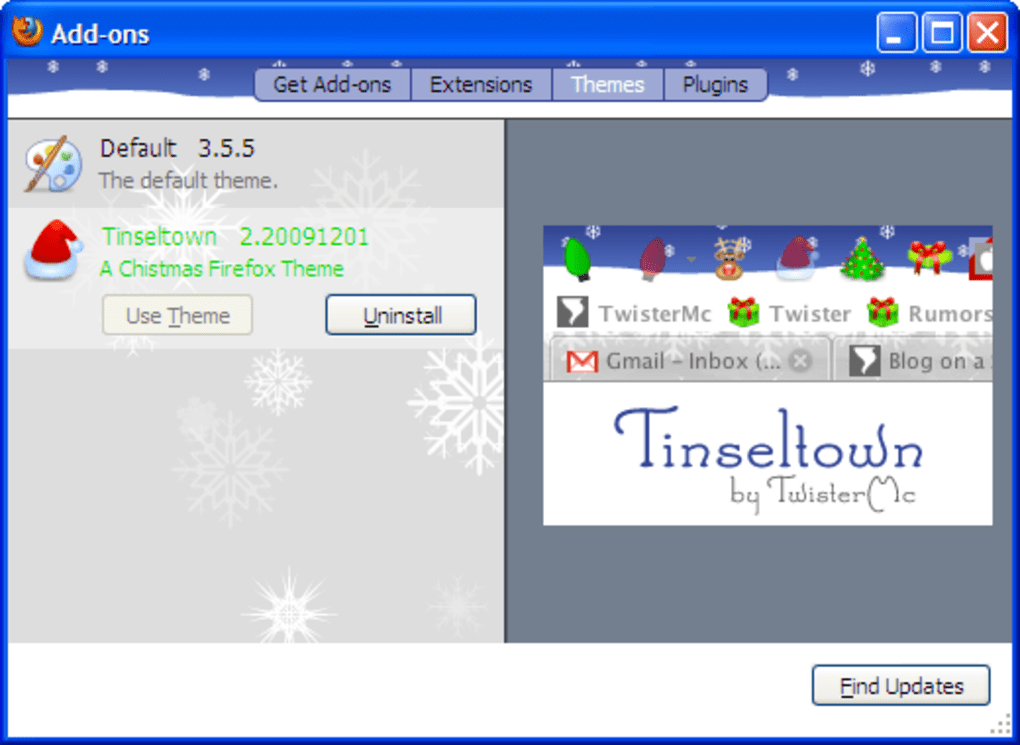
- Re‑styled add‑on manager, download window, and preferences page featuring gentle snowfall.
- Improved hover‑text color on tabs for better readability against the holiday background.
- Optimized for low‑memory usage – the theme adds visual flair without taxing system resources.
- Free to download, with automatic updates through the Mozilla Add‑ons site ensuring you always have the latest holiday polish.
Beyond the eye‑catching graphics, Tinseltown subtly enhances usability. The redesigned tab hover color makes it easier to spot active tabs amidst the bright colors, while the snow‑themed autocomplete menu retains full functionality, ensuring you don’t lose any productivity while enjoying the season. The theme also respects Firefox’s native privacy settings, storing no personal data and requiring no additional permissions beyond the standard theme access. This makes Tinseltown not only a visual treat but also a secure choice for privacy‑conscious users.
Installation, Usage & Compatibility
Getting Tinseltown up and running is as simple as a few clicks. Follow these steps to download and install the theme securely:
- Open Firefox and navigate to the official Mozilla Add‑ons site (addons.mozilla.org).
- Search for “Tinseltown” in the add‑ons search bar.
- Click the “Add to Firefox” button; a confirmation dialog will appear.
- Press “Add” to grant the theme permission to modify the browser’s appearance.
- Once installed, Firefox will automatically apply the theme and display a brief “Welcome to Tinseltown!” toast notification.
- If you wish to adjust the toolbar icons, click the menu button ► “Customize…” and drag the icons to your preferred size or position.
- To disable or remove the theme, go to Settings ► “Add‑ons and Themes,” locate Tinseltown, and click “Disable” or “Remove.”
Because Tinseltown is a standard Firefox theme, it works seamlessly across all major operating systems that support the browser:
- Windows 10, 11 and later
- macOS 10.14 (Mojave) and newer
- Linux distributions with Firefox (Ubuntu, Fedora, Debian, etc.)
- Chrome OS (via Linux support) – as long as Firefox is installed.
The theme automatically updates whenever a new version is released on the Mozilla Add‑ons store. No manual patches are required, and the update process respects the same secure download channels Firefox uses for all extensions. For users who prefer a minimalist look after the holidays, simply disable the theme in the Add‑ons manager – your original Firefox UI will be restored instantly.
Pros, Cons & Frequently Asked Questions
Pros
- Free and open‑source – no hidden costs.
- Full‑body festive redesign that touches every UI element.
- Lightweight; no noticeable performance hit.
- Easy installation and automatic updates via Mozilla’s trusted store.
- Secure – no extra permissions beyond theme styling.
Cons
- Highly seasonal; may feel overwhelming for users who dislike Christmas motifs.
- Toolbar icons are relatively small; users seeking larger icons may need to adjust via “Customize.”
- No built‑in configuration panel to tweak color intensity or animation speed.
- Only compatible with Firefox; not usable on other browsers.
FAQ
Is Tinseltown safe to download?
Yes. Tinseltown is hosted on the official Mozilla Add‑ons site, which uses HTTPS and rigorous review processes to ensure extensions are free of malware.
Can I use Tinseltown on a Mac?
Absolutely. The theme works on macOS 10.14 (Mojave) and later as long as you have a supported version of Firefox installed.
Will the theme affect my browsing speed?
Tinseltown is designed to be lightweight. Users typically report no measurable slowdown, even on older hardware.
How do I disable the theme after the holidays?
Open Firefox’s “Add‑ons and Themes” page, locate Tinseltown, and click “Disable” or “Remove.” Your default Firefox appearance will return instantly.
Can I customize the size of the toolbar icons?
While Tinseltown itself has no settings panel, you can use Firefox’s “Customize” mode to rearrange or replace toolbar icons with larger alternatives.
Conclusion – Bring the Holiday Cheer to Firefox Today
If you’re searching for a quick, free, and secure way to sprinkle some seasonal sparkle onto your daily web routine, Tinseltown delivers exactly that. Its comprehensive redesign touches every corner of the Firefox UI, turning mundane tasks like downloading a file or opening a new tab into a mini‑celebration of Christmas spirit. While the theme may be a bit much for those who prefer a minimalist interface, the ability to disable or remove it with a single click ensures you won’t be locked into a look you later regret.
Installation is a breeze, compatibility spans all major desktop operating systems, and the lack of performance impact means you can enjoy the festive flair without sacrificing speed. Whether you’re a self‑identified “Scrooge” looking to dip a toe into holiday fun or a full‑blown Christmas enthusiast, Tinseltown offers a balanced mix of visual joy and practical reliability. Download Tinseltown now, enjoy the free, secure makeover, and let your browser join the holiday celebration!







